


Maxthon Browser For Android, iPhone, Windows Phone, Symbian and Java

Maxthon Browser is a cloud-base web browser that is really popular amongst mobile device users.
Also known as Maxthon Cloud Browser, this web browser takes the engines from Internet Explorer and Chrome and adds a new skin and features.
The browser is a freeware available for Android, Mac, iPhone/iPad, Windows Phone and Linux.
You can install and enjoy Maxthon Cloud Browser on your desktop PC or Mac. The browser is also available as an app for iPhone, Android, or Windows Phone and enjoy it when you are on the go.
Getting Maxthon Cloud Browser up and running is an effortless task no matter the platform.
By being cloud-powered, Maxthon Cloud Browser uploads, downloads and syncs the user’s web browsing between devices.
So if you browse the web on your PC, your browsing data will be synced with your Android, for example.
Mind you, browsing the web with this application is a fast and secure experience.
Maxthon Browser for Android
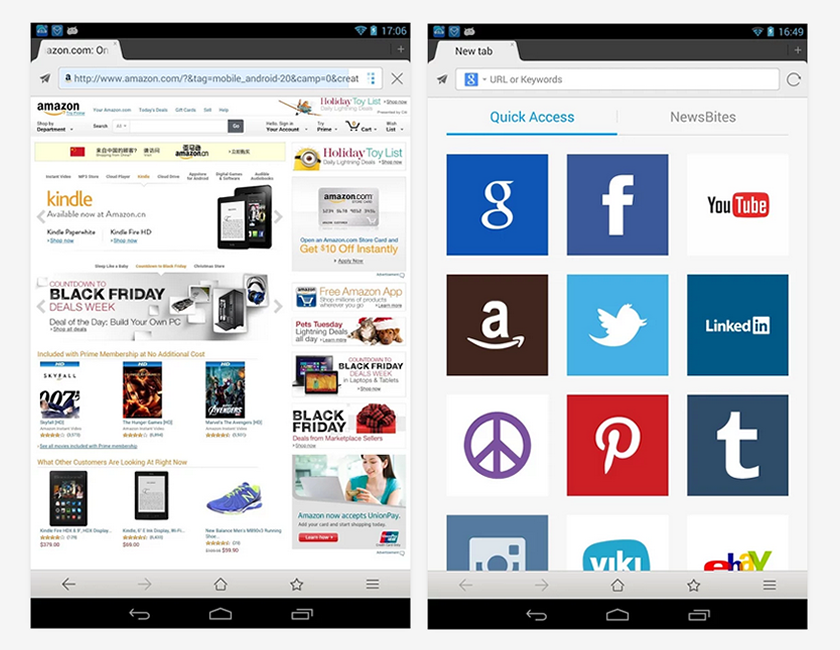
Maxthon Browser for Android is another great web browser for Android-powered devices. It claims to be the world’s fastest and smartest mobile web browser for both phone and tablet.
The browser is one of the best Android web browser apps on Google Play store.
This browser offers a quick access to your favourite sites and NewsBites – a feed of news from a selection of publications, which can be edited and moved around.
Maxthon Browser for Android has been downloaded and installed for 5,000,000 – 10,000,000 times on Google Play store.
Download Maxthon Browser for Android here…
Maxthon Browser for Android Pros
- Allows users to sync history and bookmarks.
- Powerful multi browsing and easy navigation.
- It’s cloud-base and cross-platform.
- Data-saving feature switches image-loading off.
- Private browsing, Night Mode & Fetch Mode.
- Supports Flash video and a handful of add-ons.
Chrome Browser for Android Cons
- Bugs and issues on some devices.
- Slow to load at times, often crashes.
- Slightly confusing multiple tabs management.


Leave a Comment