


Get The Best Out Of Visme with Monday App

With the Monday app, you can easily turn into a more robust, strategic design tool and powerful workflow tool.
No doubt, Monday is one of the top-rated CRM systems and project management tools for businesses. The integration with Visme is a perfect move to make users more productive.
What does this mean for your business? For one, you can save countless hours jumping between the two apps.
Secondly, you’ll be able to spearhead projects and execute strategic design concepts, all in one place.
[adrotate banner=”63″]
Why Visme & Monday
Monday is a powerful CRM platform that lets you plan, track, and collaborate with ease. It lets you do all your work in one tool.
This is a visually powerful tool to manage your work, sales, sprints, team, orders, roadmap, and others.
It is a project management tool with a multitude of features for team management and project delivery.
Meanwhile, it provides a strong platform. You can use it to create presentations, documents, data visuals, videos, and other branded content.
Visme is a strong visual communication tool. It is one of the best options for creative designs. In fact, there is no limit to what you can create with this tool!Optimize work efficiency with Visme + Monday
Integrating Visme with Monday offers one of the best ways to help people save time and effort while working with their team.
No more switching between tabs to edit, download, or upload documents and reports. This saves you time and boosts productivity. Connect Visme to Monday and collaborate more efficiently.Below is a rundown of what you can achieve with the Visme and Monday integration.
SEE ALSO: 5 Creative Designs You Can Create With Visme
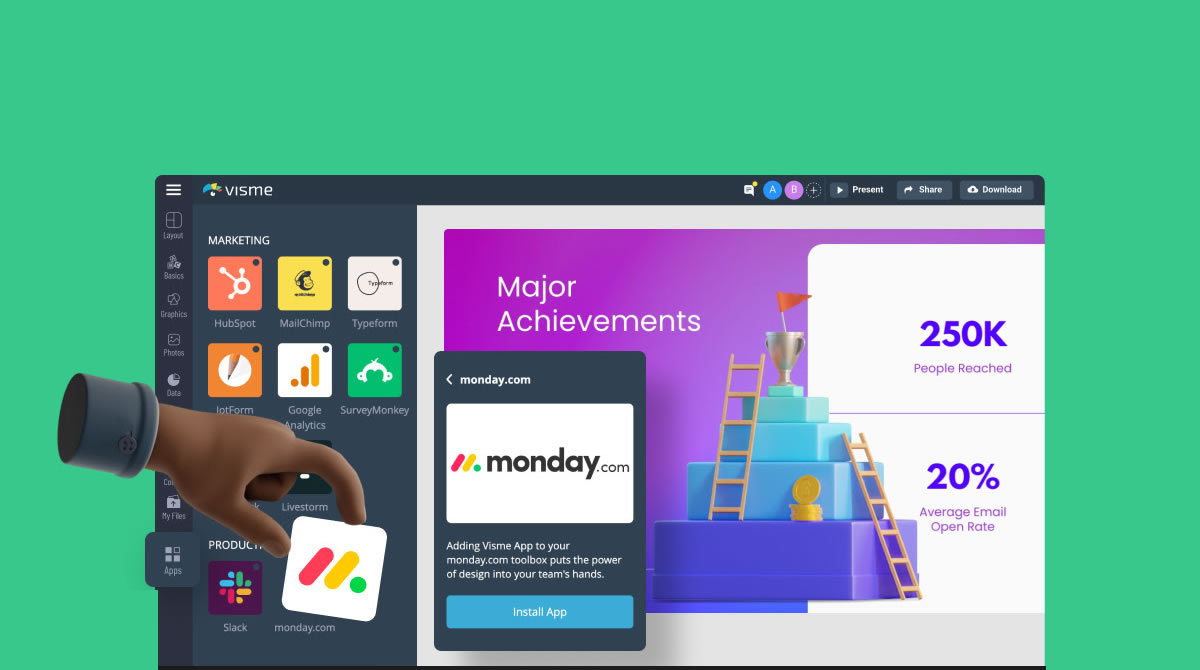
#1]. Add new boards to Monday account
Now, you can easily add new boards with Visme projects to your Monday account. From inside your Monday app workspace or document, embed any public Visme project.
Create a new board or add a widget with the Visme app. Choose the workspace, and you will see all projects in that workspace. Hover over a project and click on Embed. If it is not public yet, make it public. It will then show up in your task, board, or document.#2]. Edit Visme projects from Monday
Click to edit a Visme project from Monday and open a new tab to work in. If you have an embedded project in Monday and edit it in Visme, the changes will show in the embed.
#3]. Easily connect Visme and Monday
For Visme users, you can easily connect to Monday via the apps tab in the left sidebar of the dashboard.
For Monday users, you can install the Visme app from the apps marketplace on the Monday dashboard.
When connecting, select the Visme workspace to work from. You’ll have to be logged in to both apps. You only need to do this once.
Try the integration for yourself
There’s no better way to see what the integration can do than to try it out yourself. If you have an account with Monday and Visme, log in to it and connect the two apps.
However, if you ain’t got an account yet, you can just try out Monday and here!
PLEASE SHARE ON PINTEREST




Leave a Comment